Web chat
A chat bubble on your website. Visitors write in, and your team answers from a channel.
Integrations
Freesbe brings your CRM, help desk, bank and calendar into the channels where your team already talks, answers customers from web chat, email, texts and WhatsApp, and connects everything else through Zapier, Make, n8n, AI agents, webhooks and the API. Each integration below links to a step-by-step how-to.
54 integrations · 35 live today · 19 coming soon
Every customer conversation gets its own thread in a channel, with hand-off, internal notes, saved replies and AI suggested answers.
In the app: Workspace settings → Integrations → Customer inbox
A chat bubble on your website. Visitors write in, and your team answers from a channel.
Bring your support address in. Every email starts a conversation, and replies go out from the same address.
Texts to your Freesbe numbers land in a channel, and your team texts back from the thread.
Messages to your WhatsApp Business number come into a channel, and replies go back on WhatsApp.
Deals and leads posted into the channels where your sales team already talks, records a slash command away, and any message logged back to the CRM.
In the app: Workspace settings → Integrations → CRM
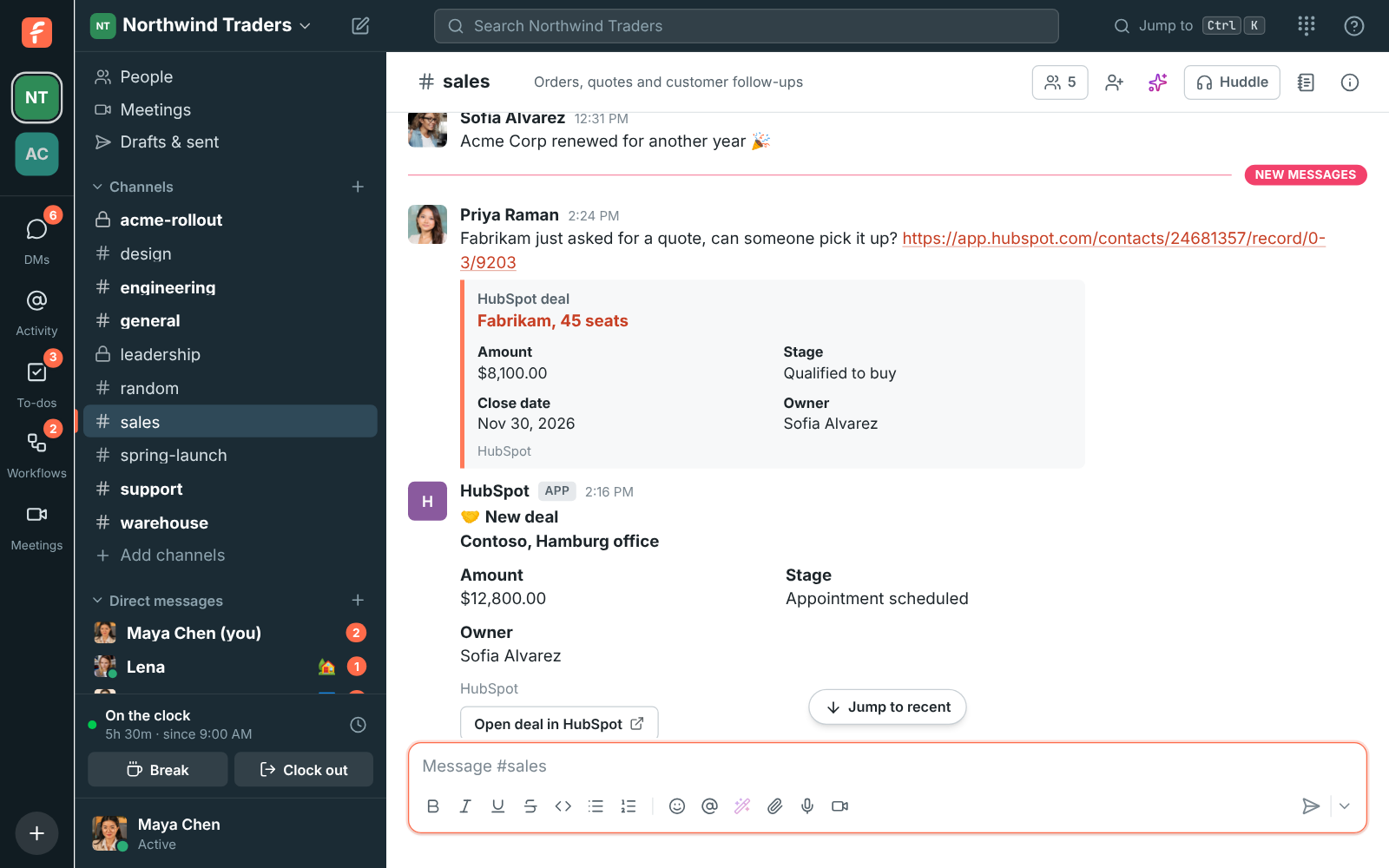
Deal and contact alerts in a channel, previews of HubSpot links, /hubspot to look people up, and Log to HubSpot on any message.
Opportunity, lead and case alerts in a channel, previews of Salesforce links, /salesforce to look records up, and Log to Salesforce on any message.
Deal and lead alerts in a channel as they happen, previews of Pipedrive links, /pipedrive to look records up, and Log to Pipedrive on any message.
Deal, lead and contact alerts in a channel, previews of Zoho CRM links, /zoho to look records up, and Log to Zoho CRM on any message.
Tickets come to your support channels as they change, ticket links open as cards, and any message becomes a ticket.
In the app: Workspace settings → Integrations → Support
Post new and changed tickets into channels with Assign to me and Solve buttons, show ticket links as cards, and turn any message into a ticket.
Ticket alerts in a channel as they happen, previews of Zoho Desk ticket links, and Create Zoho Desk ticket on any message.
Post new and changed tickets into channels with Assign to me and Resolve buttons, show ticket links as cards, find tickets with /freshdesk, and turn any message into a ticket or a note.
Money in, money out, crypto and invoices, posted into a channel the moment they happen.
In the app: Workspace settings → Integrations → Finance
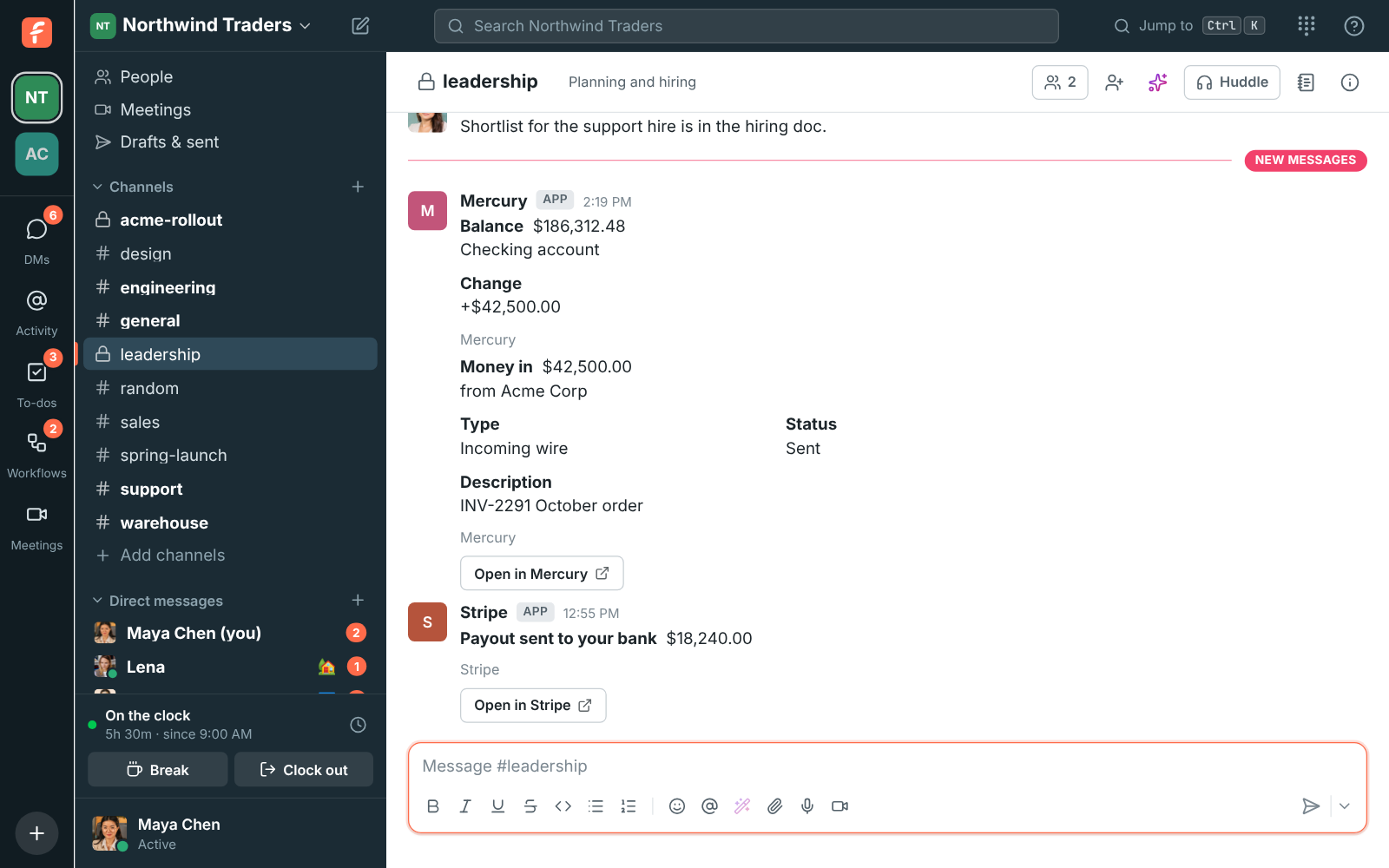
Deposits, payments and balance changes from your Mercury accounts, with a minimum amount so only what matters is posted.
Payments received, payouts, refunds and failed payments from Stripe, posted into the channel you pick.
Deposits, transfers and payouts from Airwallex, posted into a channel as they happen.
Deposits, withdrawals, trades and balance alerts from your Kraken account, with dollar values and a daily summary, through a read-only API key.
Money in and out of your company's wallets on Bitcoin, Ethereum, Base, Arbitrum, Optimism, Polygon, BNB Chain, Avalanche, Solana and Tron, with dollar values, balance alerts and a daily summary. Only the public address is needed.
Invoices sent, payments received, invoices paid and overdue invoices posted into a channel, and previews of invoice links.
Busy times for scheduling and booking links, an automatic In a meeting status, and your day's agenda in Freesbe.
In the app: Preferences → Calendar
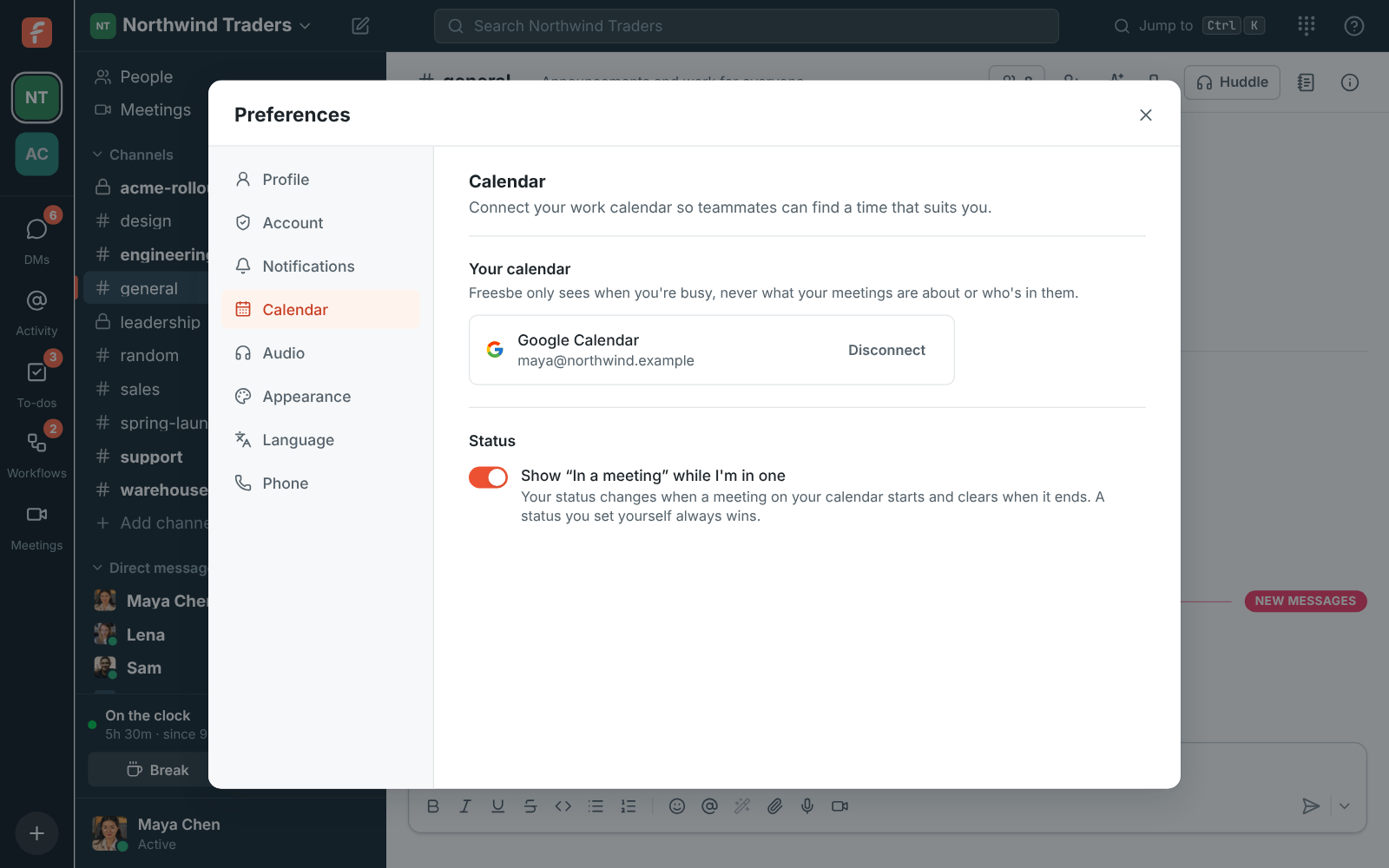
Teammates see when you're busy as they schedule, and your status says In a meeting while you're in one. Freesbe only reads busy times.
Busy times from your Microsoft 365 or Outlook calendar for the scheduler and booking links, and an automatic In a meeting status.
Connect your own Zoho calendar next to Google and Microsoft, for busy times and the Calendar app.
Your day's agenda each morning, a reminder with the join link before each meeting, and invitations you answer Yes, Maybe or No without leaving Freesbe.
Start a Zap, scenario or flow from a message, a mention or a new teammate, and post back into any channel. Thousands of apps, no code.
In the app: Workspace settings → Integrations → Automation
Start a Zap from a new message, a mention or a new teammate, and send messages, react or make channels from any Zap.
Start a scenario from Freesbe messages and mentions, and post, react or make an API call back.
A Freesbe node for n8n workflows, in the cloud or on your own server.
Freesbe triggers and actions in Zoho Flow, next to the rest of your Zoho apps.
Freesbe's own builder: forms, approvals, reminders and welcome messages, started from a button, a schedule or a webhook.
Candidates, interviews and hires, posted where your hiring team talks.
In the app: Workspace settings → Integrations → Recruiting
New candidates, status changes, hires, job openings and interviews posted into a channel as they happen, and previews of Zoho Recruit links.
Problems from your monitoring tools as cards that stay current, acknowledged and closed from the chat.
In the app: Workspace settings → Integrations → Monitoring
Each problem posted into a channel as one card that turns green when it's resolved, with Acknowledge and Close buttons, a pinned live problems board, /zabbix questions answered with AI, and scheduled reports.
Each Grafana alert posted into a channel as one card that turns green when it resolves, with a Silence for 1 hour button, a pinned live problems board and scheduled reports.
Alertmanager's webhook receiver posting each alert as a card, routed per team with matchers, with a Silence for 1 hour button, the live problems board and reports.
Send Alertmanager alerts to a channelRead the guideLearn more
Each incident posted into a channel as one card that keeps up with PagerDuty, with Acknowledge and Resolve buttons that act as you, a pinned live problems board and scheduled reports.
Post PagerDuty incidents to a channelRead the guideLearn more
Each alert posted into a channel as one card that keeps up with Opsgenie, with Acknowledge and Close buttons, a pinned live problems board and scheduled reports.
Each monitor alert posted into a channel as one card that turns green when it recovers, with a Mute for 1 hour button, a pinned live problems board and scheduled reports.
Each issue and alert posted into a channel as one card that turns green when it's resolved, with Resolve and Archive for 1 hour buttons, a pinned live problems board and scheduled reports.
Each uptime incident posted into a channel as one card that turns green when the monitor is back up, with Acknowledge and Resolve buttons, a pinned live problems board and scheduled reports.
Post Better Stack incidents to a channelRead the guideLearn more
Each alert issue posted into a channel as one card that turns green when it closes, with Acknowledge and Resolve buttons, a pinned live problems board and scheduled reports.
Each monitor that goes down posted into a channel as one card that turns green when it's back up, with a pinned live problems board and scheduled reports.
Post Uptime Kuma and UptimeRobot alerts to a channelRead the guideLearn more
Each monitor that goes down posted into a channel as one card that turns green when it's back up, with a pinned live problems board and scheduled reports.
Post Uptime Kuma and UptimeRobot alerts to a channelRead the guideLearn more
New articles from the sites your team follows, posted into a channel as they come out.
In the app: Workspace settings → Integrations → News feeds
Blogs, news sites, status pages and release notes posted into a channel as cards with the headline, a summary and the picture, filtered by keywords, checked every 15 minutes.
Pipelines, merge requests, issues and deploys posted into the channels your engineers already read.
Pull request, issue, release and deployment cards that stay up to date in the channels you subscribe, previews of GitHub links, /github, and issues made from any message.
Issue cards you can move and comment on from the channel, previews of Jira links, /jira, and Jira issues made from any message. For Jira Cloud.
Merge request, issue and deployment cards that stay up to date, pipelines, previews of GitLab links, /gitlab, and issues made from any message. For GitLab.com and your own GitLab server.
Pipelines, merge requests, issues, tags and deployments posted into a channel through GitLab's Slack notifications setting and an incoming webhook. Works with GitLab.com and your own GitLab server.
A business phone line in the same app as your chat, on your computer, your phone or the desk phone you already have.
In the app: Workspace settings → Phone
Every person gets SIP credentials, so a desk phone or any SIP app rings alongside Freesbe.
Connect your sip.io phone system, and calls, the dialpad and voicemail work inside Freesbe.
Local and toll-free numbers with business hours, call flows, voicemail and texts, bought right in Workspace settings.
Let AI agents work in Freesbe with only what you allow, and connect anything else with webhooks, apps and the REST API.
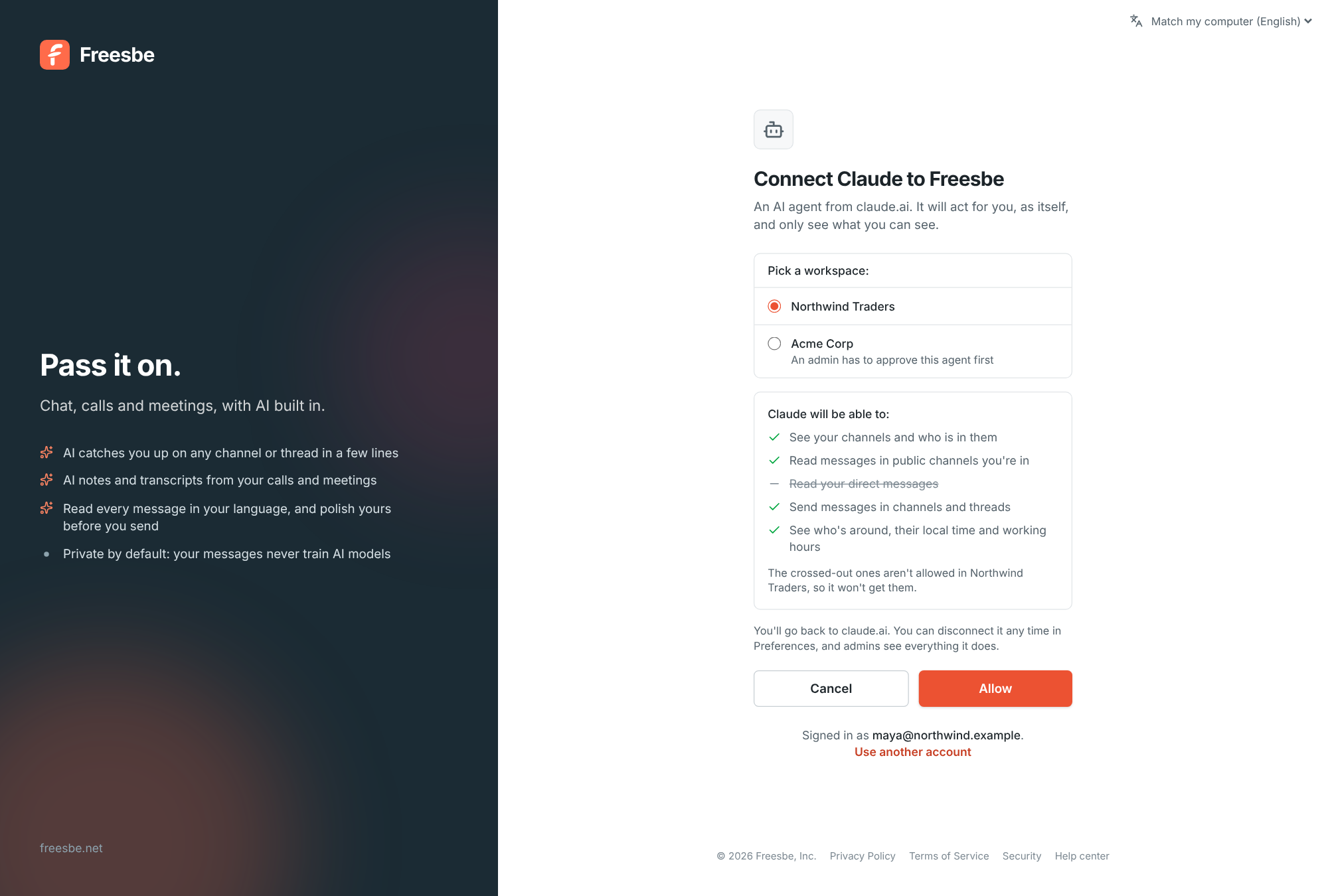
Connect Claude, ChatGPT or your own agent over MCP. It searches, reads and posts as its own bot, and admins approve or block each one.
Post alerts from any tool with Slack-compatible incoming webhooks, as plain text or cards with buttons.
A signed POST to your server for the events you pick, from 30 events across messages, channels and people.
Script anything you can do in the app with tokens and plain HTTP.
Give your own tools a bot with buttons, slash commands and dialogs. Bring Slack app manifests as they are.
Sign in with the accounts your team already has, and let them sign in to your own tools with Freesbe.
Sign in with Google, and on Corporate require it for everyone in the workspace.
Sign in with a Microsoft work, school or personal account, and on Corporate require it for everyone.
Let your team sign in to your own dashboards and tools with their Freesbe account, over standard OpenID Connect.
Zapier, Make and n8n reach thousands of apps, incoming webhooks post from anything that can send one, and the REST API does whatever the app does. Not sure which fits?
Free for teams of up to 10 people. Set up a workspace in a minute and invite your team.